BISP 8171 SMS Problems: Common Issues and Solutions for 2025
The Benazir Income Support Programme (BISP) 8171 SMS service is one of the easiest ways for beneficiaries in Pakistan to check their payment status and eligibility. However, thousands of users often face issues where the SMS doesn’t arrive, shows incorrect information, or fails to send. This article explains the main causes of BISP 8171 SMS problems, how to fix them, and what you can do to ensure you never miss an important payment update.
What Is the 8171 SMS Service?
The 8171 SMS Service allows BISP and Ehsaas beneficiaries to check their payment and eligibility details simply by sending their CNIC number to 8171. Within a few seconds, the system replies with your status — whether you’re eligible, under verification, or not enrolled.
This service is free of cost and works without an internet connection, making it ideal for people in rural areas. But when technical issues or user errors occur, many beneficiaries fail to receive responses, leading to unnecessary confusion.
Why You’re Not Receiving BISP 8171 SMS Replies
If your 8171 SMS is not working, it’s likely due to one of the following common reasons:
1. Incorrect CNIC Format
 Join Our WhatsApp Channel
Always send your CNIC without dashes or spaces (for example, 3520212345671). Even a small error can prevent the system from processing your request.
2. SIM Not Registered Under Your CNIC
BISP requires that your SIM card be registered under the same CNIC you’re using for verification. If you send the message from someone else’s number, the system may not respond.
3. Network or Server Delay
During payment release days, the system experiences high traffic. Network congestion or server overload may delay replies. Try again after a few minutes or during off-peak hours.
4. Incomplete Registration or Pending Verification
If your NSER survey or data update is incomplete, the system may show “Under Verification” or fail to reply. Make sure your household data is updated at your nearest BISP center.
5. Fake or Unofficial SMS Numbers
Only messages from 8171 are genuine. Any SMS or call from another number asking for your CNIC or bank details is a scam. Never share your information with unknown sources.

How to Fix BISP 8171 SMS Problems
If you’re facing issues checking your status via SMS, follow these verified troubleshooting steps:
- Double-check your CNIC number (no spaces or dashes).
- Ensure you’re using a SIM registered under your own CNIC.
- Wait a few minutes and resend your message if the network is busy.
- Use the official BISP 8171 Web Portal to confirm your payment online if SMS doesn’t work.
- Visit your nearest BISP Tehsil Office for biometric or data verification.
- For official help, call the BISP Helpline (0800-26477).
These steps resolve most common issues and help ensure your payments continue smoothly.
How to Check BISP Payment Online (Alternative Method)
If the SMS method isn’t working, you can check your payment online:
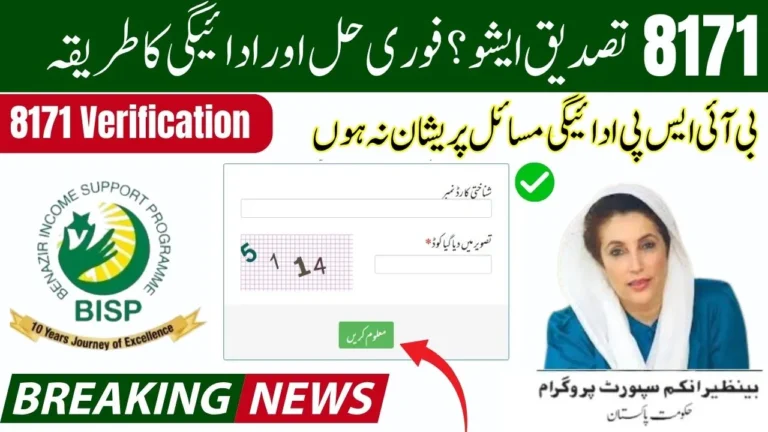
- Visit the official 8171 web portal at https://8171.bisp.gov.pk.
- Enter your CNIC number in the given box.
- Complete the captcha verification.
- Click “Submit” to view your payment status and eligibility.
This online system is directly linked with NADRA and BISP records, providing accurate and instant results.
How to Stay Safe from Fraudulent Messages
Scammers often misuse the name of 8171 to trick people. Here’s how you can protect yourself:
- Only trust messages sent from 8171.
- Never respond to calls or SMS asking for money, PIN codes, or bank details.
- Avoid sharing your CNIC number with unknown people or websites.
- Verify any suspicious message by calling the official BISP helpline.
BISP never charges any fee for verification or payment confirmation.

Why These SMS Problems Matter
For millions of Pakistani families, BISP payments are a lifeline. Missing an SMS or receiving the wrong information can create stress and confusion, especially for those who rely on the 8171 system to know when funds are available. That’s why it’s crucial to understand these issues and use official channels to stay informed.
Final Words
If your BISP 8171 SMS isn’t working, don’t worry — the issue is usually small and fixable. Make sure you use the correct CNIC format, send the message from your registered SIM, and avoid relying on fake numbers or unofficial sources. If SMS still doesn’t respond, use the 8171 web portal or visit the nearest BISP office to verify your details.
By following these steps, you can easily resolve 8171 SMS problems and continue receiving your payments without any delay.